Richard Mooij
Updated :
Richard Mooij
Updated :

In version 9.4.0 standard queries (5) and a dynamic project query have been released.
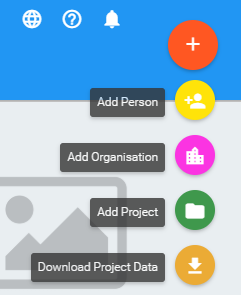
Standard queries
Via the button “Download Project Data” 5 standard queries are now available.
- Planned costs per contributor
- Realised costs per contributor
- Planned costs per contract
- Realised costs per contract
- Targets reporting
All queries are available per year which must be selected first.
Planned costs per contributor
First select the year over which you want to export data to a .csv file.
Next select “Planned costs per contributor”.
The result will be a .csv file including all projects of the selected year. Per project some general data is exported.
Per contributor the budgeted local costs, advisory service/event costs and administration costs are exported.
Realised costs per contributor
First select the year over which you want to export data to a .csv file.
Next select “Planned costs per contributor”.
The result will be a .csv file including all projects of the selected year. Per project some general data is exported.
Per contributor the realised local costs, advisory service/event costs and administration costs are exported.
Planned costs per contract
First select the year over which you want to export data to a .csv file.
Next select “Planned costs per contributor”.
The result will be a .csv file including all projects of the selected year. Per project some general data is exported.
Per project per donor organization, donor beneficiary, donor contract and contributor, the budgeted local costs, advisory service/event costs and administration costs are exported.
Realised costs per contract
First select the year over which you want to export data to a .csv file.
Next select “Planned costs per contributor”.
The result will be a .csv file including all projects of the selected year. Per project some general data is exported.
Per project per donor organization, donor beneficiary, donor contract and contributor, the realised local costs, advisory service/event costs and administration costs are exported.
Targets reporting
First select the year over which you want to export data to a .csv file.
Next select “Targets reporting”.
The result will be a .csv file including all the used targets in projects of the selected year.
Per target the baseline, the planned value and the realised value is exported.
Dynamic project query
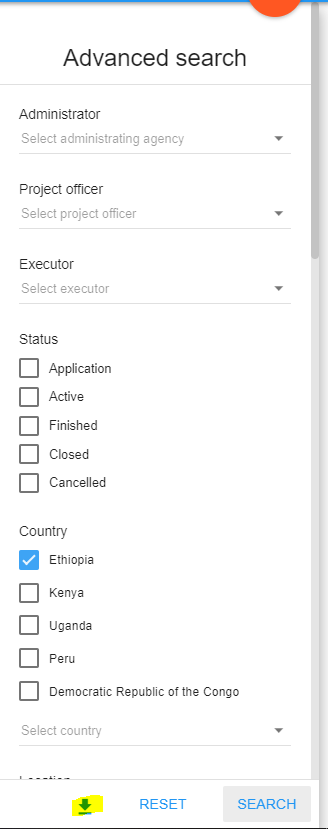
Whenever the advanced search for projects has been used and results in a subset of all the projects, the option will appear to export data of this subset of projects.
E.g. if an advanced search for ‘Active projects in Uganda’ results in 34 projects, the export will consist of 34 projects.
E.g. 2: if an advanced search for ‘Project officer X’ results in 60 projects, the report will consist of 60 projects.