 Hielke van Braak
Updated :
Hielke van Braak
Updated :

1. Right-click on the OneDrive for Business icon in the Windows notification area at the bottom of your screen and then click Settings. It may be that it is under your hidden icons.
Hidden icons button: 
2. Select More > Settings.

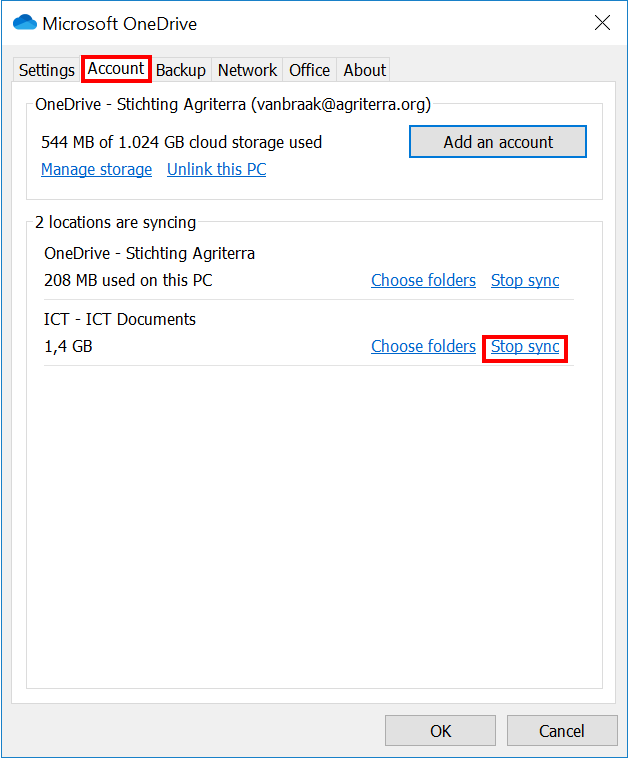
3. Click the Account tab and click stop sync next to the libary you want to delete from your pc.
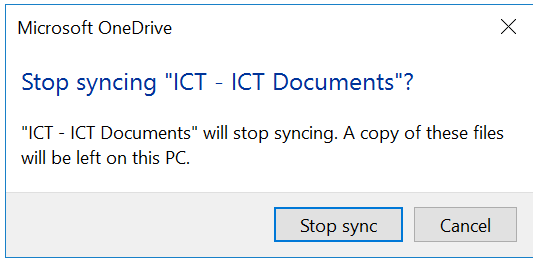
4. Click Stop Sync to confirm.
5. Repeat this for other libraries if necessary.