 José Levelink
Updated :
José Levelink
Updated :

Whenever there are costs realised by an organisation, these are included in the signed financial report. These contributions need to be added to agro-info.net. (Contributions of Agriterra are not included - see: Realised costs - Exact import)
Open the project and go to the budget tab. Click on the year. Open the local cost by clicking on the arrow.
Usually there are planned local costs (in this example from Berek Aleltu FCU)
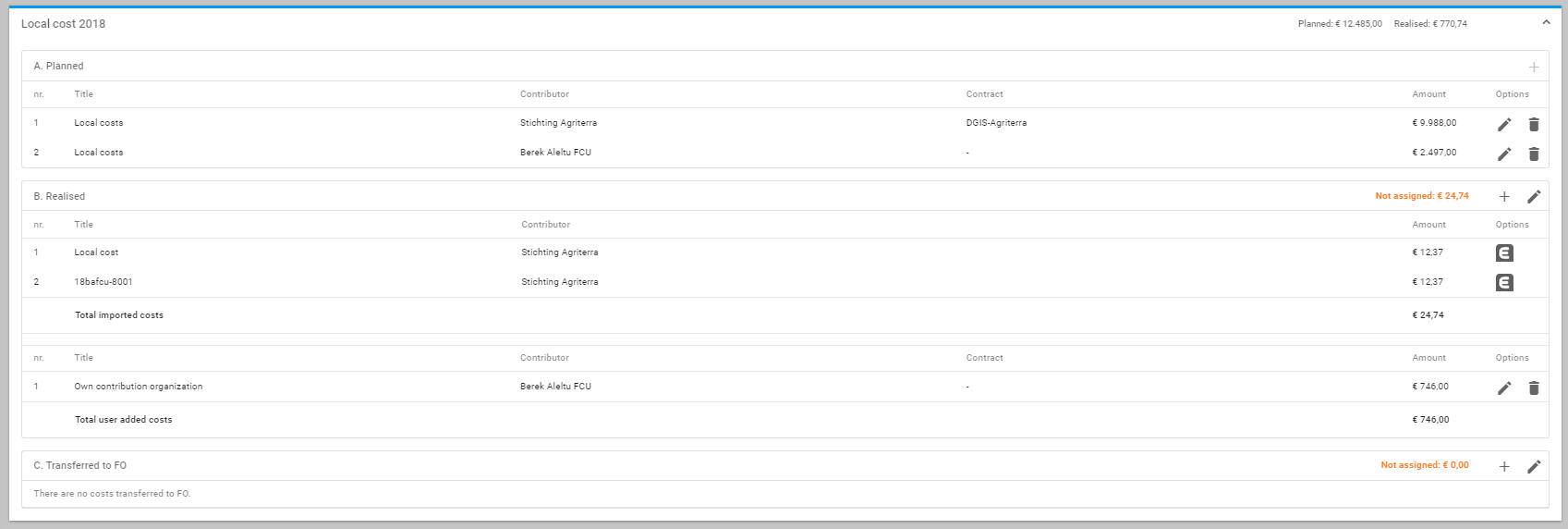
When adding the costs, click on the + sign (in front of the pencil).

Fill in the title (contribution executor), choose the contributor (the local organisation) and the amount and click on SAVE.