 José Levelink
Updated :
José Levelink
Updated :

Why extending: a projects is only extended when the goal of the project is still the same. If the goal changed, a new project with a new main deliverable has to be added to agro-info.net
Open the project you want to extend (it can be Active of Finished)
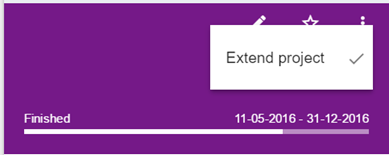
Click on the three dots and choose ‘Extend project’. You will be asked to give the reasons for extension.
- Change of content / scope of the project means you have to create a new project in agro-info.net.
- An additional year (extension) is chosen when working on the same scope. When the project goal is not achieved within the specified / expected time and the executing organisation continues working with the same scope, an extension of a project is the best option. The extension must obviously be confirmed (goal, content, duration and money).
Once you’ve clicked on Extend project, the status of the project is changed to Application. This means you will have to fill in all elements for the new calendar year. Click on the ‘edit’ icon.
Project will lead you through the project wizard.
General – change the end date of the extended project
- New End date of the project
- Project plan: This field already contains the information from last year. Leave the data as it is and add information about your plans with the client for this calendar year – preferable at the top of the page (see example).
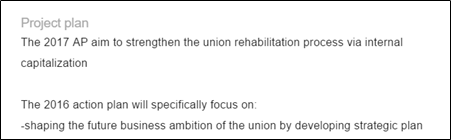
-
-
- Goals: an additional project goal can be added
- New deliverable(s) + corresponding target (s): Other deliverables are possible. For each deliverable chosen, targets have to be chosen as well in the extended year.
Documents
Upload the new action plan.
Budget
Fill in the budget elements for the new year
-