 Bert van Houten
Updated :
Bert van Houten
Updated :

At the beginning of this year and with the start of the new financial system (D365) we introduced the Project Activities (ACT assignments) and Direct Contribution from Client (DCO assignments). This is a manual process in the assignment module.
In this guide we explain how we improved the creation of those project assignments. Actually how the creation of those assignments is automated and how we communicate this to our new financial application (D365).
The first step in this automated flow is an extra question in the Project wizard (fig 1).
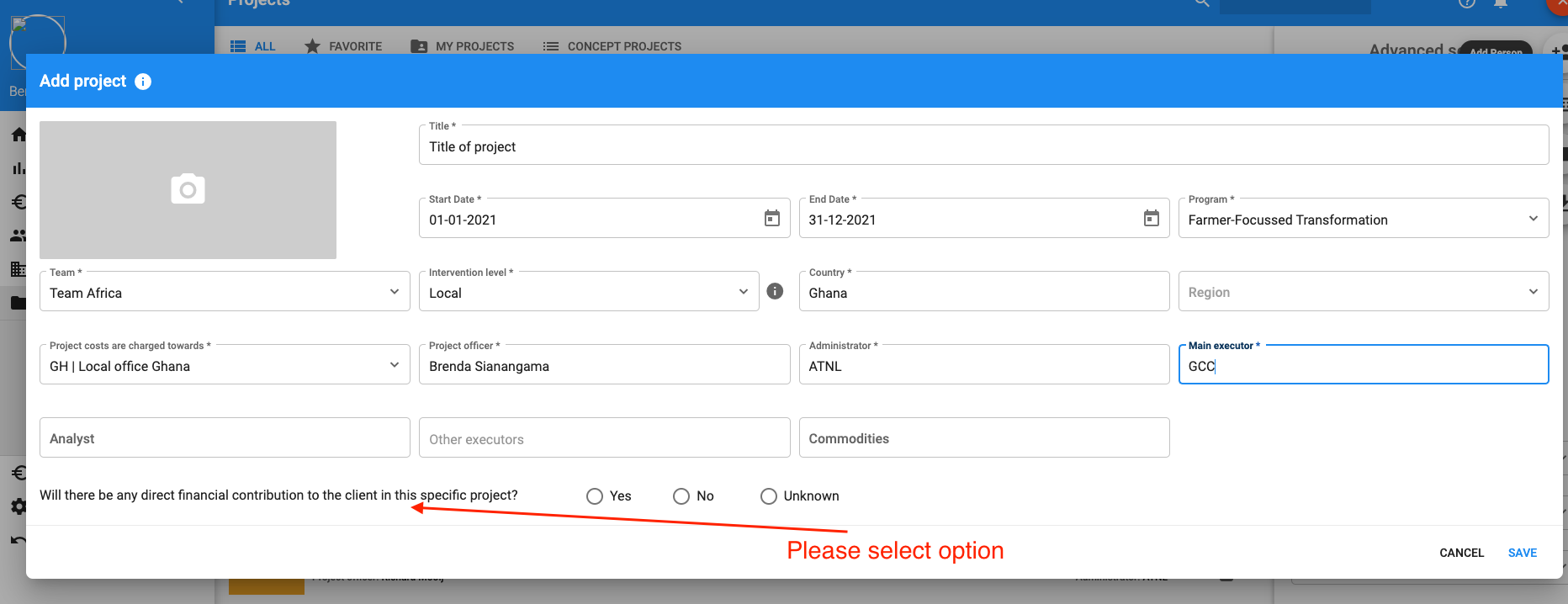
fig 1.
1) in the project wizard an extra question is asked (required): "Will there be any direct financial contribution to the client in this specific project?" (answers: yes, no or unknown)
1a) if the answer is "Yes" then the system will create a DCO assignment for you
1b) if the answer is "No" or "Unknown" then the system will not create a DCO assignment
In case you don't know there will be no DCO assignment created and we advise you to contact your analyst. Together with the analyst you can decide to create an DCO assignment manually.
DCO assignment
The DCO assignment is automatically created by the system in case you answered the question with "yes" with the following default values (fig 2.)
- Title: Service 2021"
- Country: default project country
- Region: default project region
- Costs charged towards: default project costs charged towards
- Manager: default project manager
- Start date: default project start date
- End date: default project end date
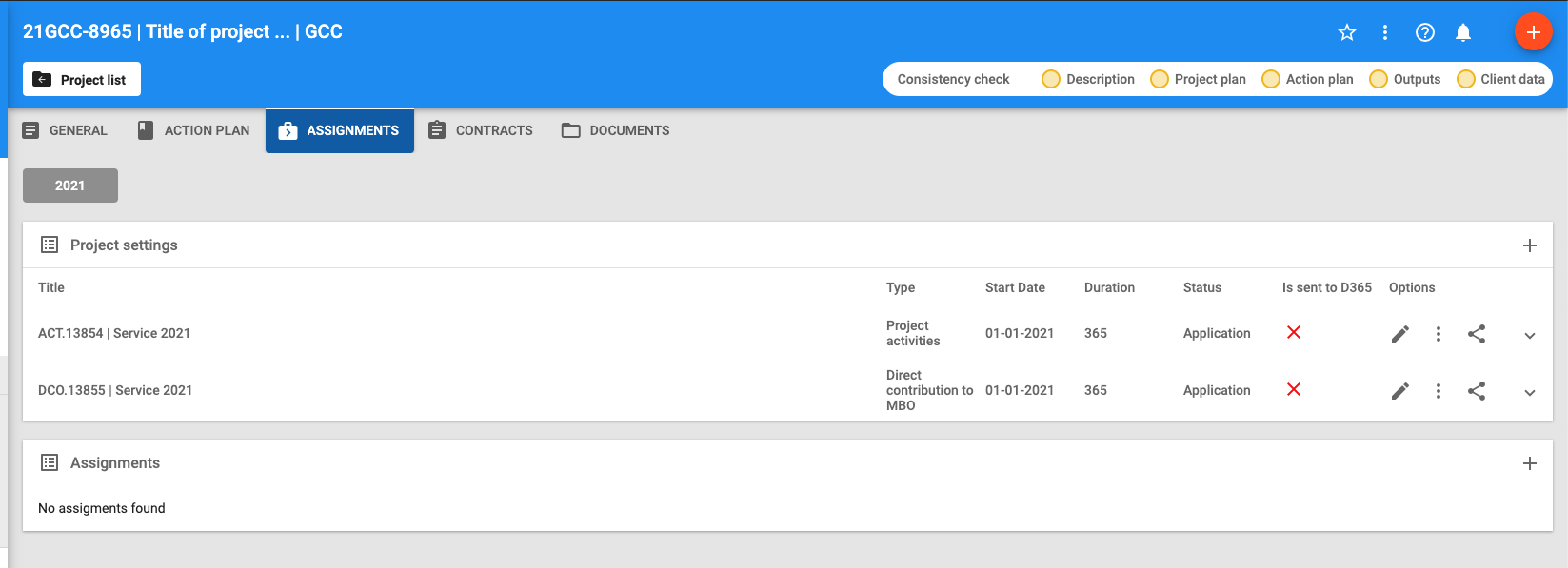
fig 2.
Please note: All items can be edited.
The involved analyst will see the option "Send to D365" (fig 3.)
This extra button is only available for authorized users (= analyst) to prevent everyone sending the assignment to D365 before any check has been done
In the logging it is visible that the assignment is sent to D365.
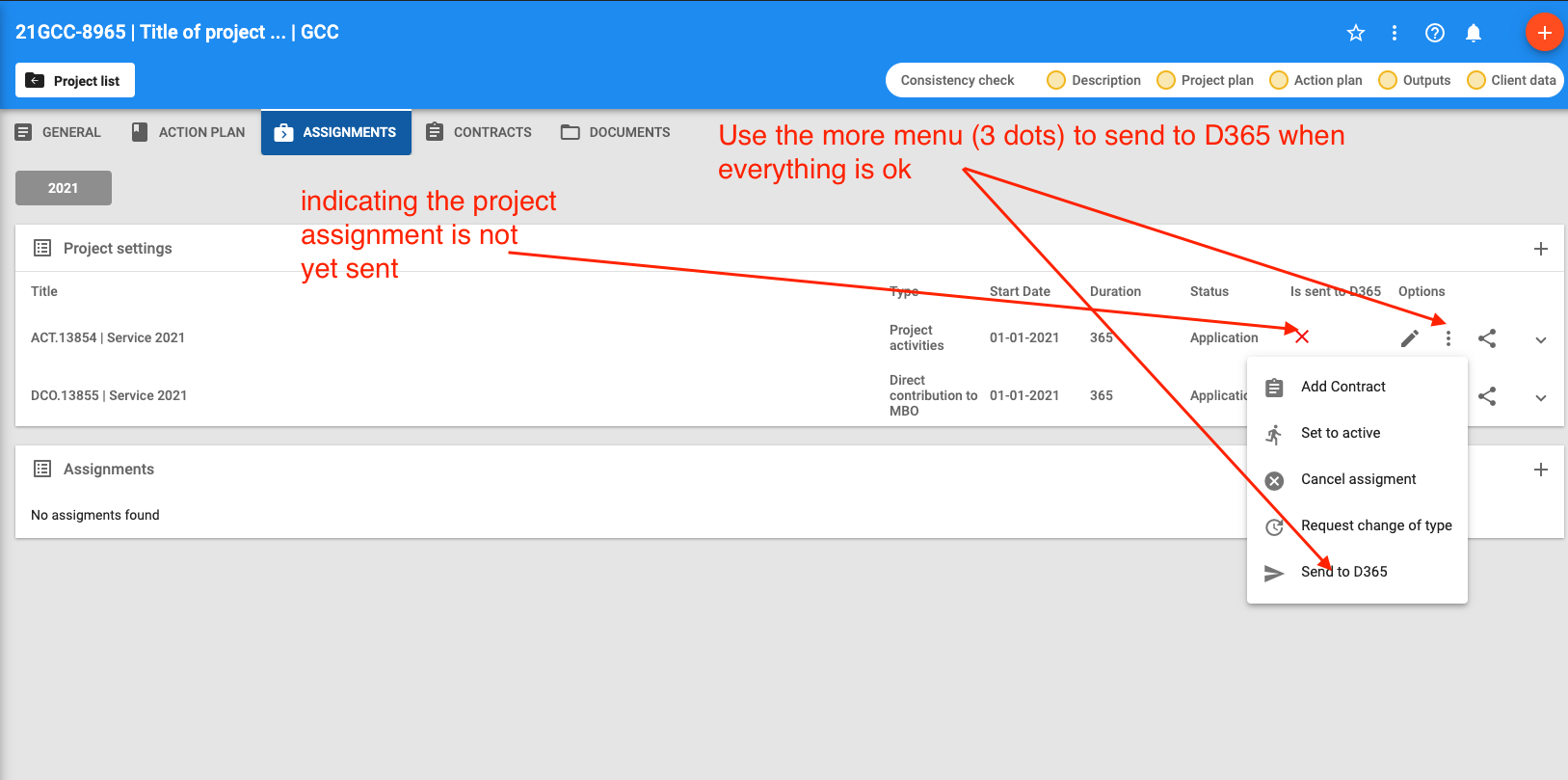
fig 3.
ACT assignment
The ACT assignment is always automatically created by the system with the following default values
- Title: "Service 2021"
- Country: default project country
- Region: default project region
- Costs charged towards: default project costs charged towards
- Manager: default project manager
- Start date: default project start date
- End date: default project end date
After creation the involved analyst will see the option "Send to D365" (fig 3.)
This extra button is only available for authorized users (= analyst) to prevent everyone sending the assignment to D365 before any check has been done
In the logging it is visible that the assignment is sent to D365.
When the DCO and ACT assignments are sent to D365 a green checkmark will be displayed and you are good to go. (fig 4.)
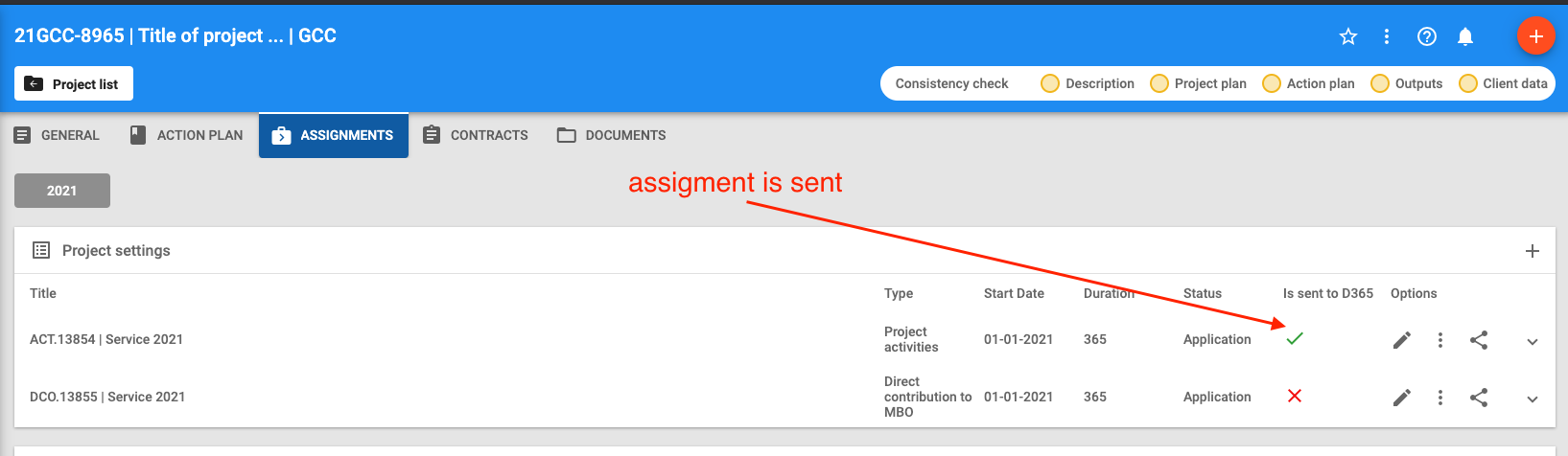
fig 4.